
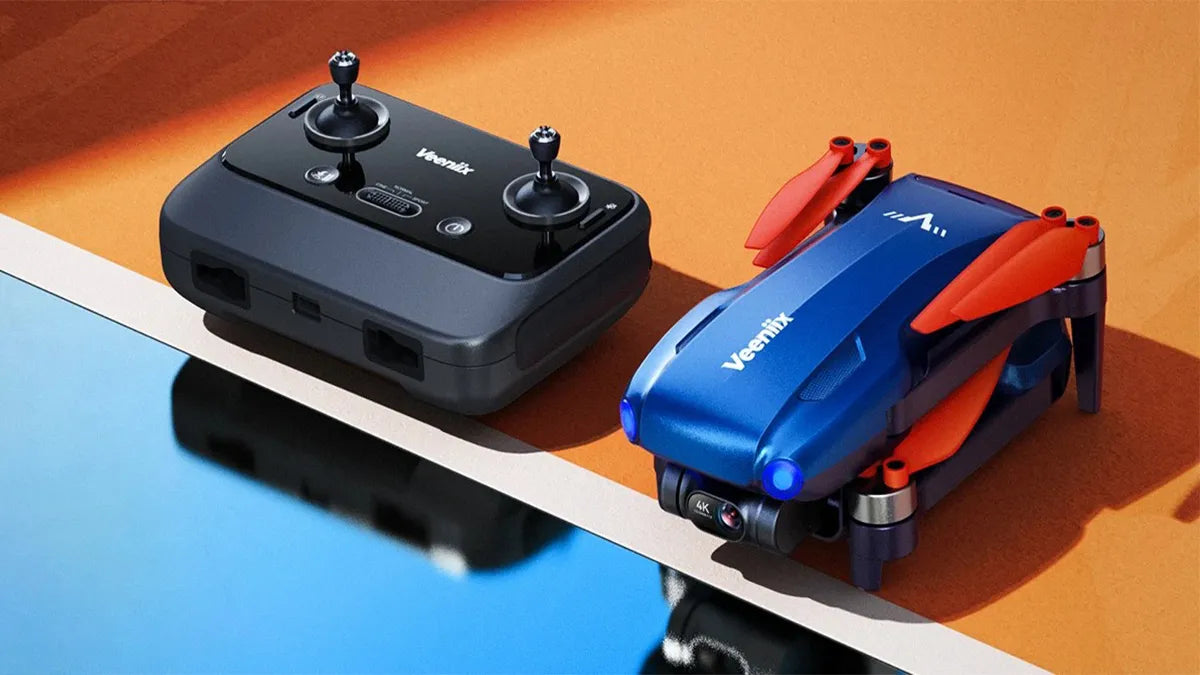
When you get a drone, in addition to learning to fly safely, pairing the drone and remote controller is the key step. Control is only possible after successful frequency pairing has been established. Pay attention to these tips compiled by Ruko to enhance your drone's flight performance.
1. Steps to complete the pairing process
(1) Power on the drone.
(2) Power on the remote controller.
(3) The drone and remote controller will automatically complete the pairing process within approximately 30 seconds.
(4) Connect your phone to the remote controller, enter the app, and wait for 2 seconds for the control interface to automatically enter.
(5) After the connection is successful, you will be able to view the drone's camera image through your phone.
2. Reasons for cannot be paired
(1) If it's your first time using the drone, or if it has not been used for a long time, pairing may take longer.
(2) If you were able to connect successfully before but are now unable to, check if the drone has been hit. This could potentially cause the pairing to fail.
(3) If you have an SD card inserted, please remove it and try again. (Incompatible SD cards can cause the communication module to short-circuit.)
(4) If pairing fails, connect the controller to your phone via a cable and access the APP. If you can see the image transmission, the drone's communication line is faulty or disconnected.
(5) Check the pairing module indicator on the bottom of the drone. Normally, the light is solid blue.
3. Things to note about the pairing
(1) Keep the drone and remote controller within 1-2 meters during pairing. Being too far away may cause pairing difficulties.
(2) The remote controller will beep continuously during the pairing process, which is normal. It will stop once pairing is complete.
(3) Three types of connection cables are provided. You can choose the corresponding connection cable according to your needs.
(4) Two Type-C cables are pre-installed in the remote controller, and the other two are in the storage bag.
(5) If the drone is not unlocked and taken off, it will automatically power off after 10 minutes.
Summary
Checking the status of the drone and remote controller before each flight and matching successfully can ensure smooth operation and safe flight of the drone. Hope your every flight can be enjoyable and interesting. Rest assured that the exceptional 24/7 Ruko customer service is always with you to guarantee your smooth and wonderful flight experience with Ruko drones.


